StockFlow

Now on Android · v1.0.0

Inventory management that finally keeps up with your warehouse

High-performance real-time tracking, intelligent inward wizards, and unbreakable audit trails—built specifically for the Android devices your team already uses.

v1.0.0 • ~18 MB • Android 8.0+ (minSdk 26)

Direct APK download — you may need to allow installs from unknown sources in your Android settings.

0
Sync Speed (ms)
100%
Audit Trail Accuracy
AES-256
End-to-End Security

Precision at Every Layer

Engineered to handle complex logistics with zero friction.

Automated

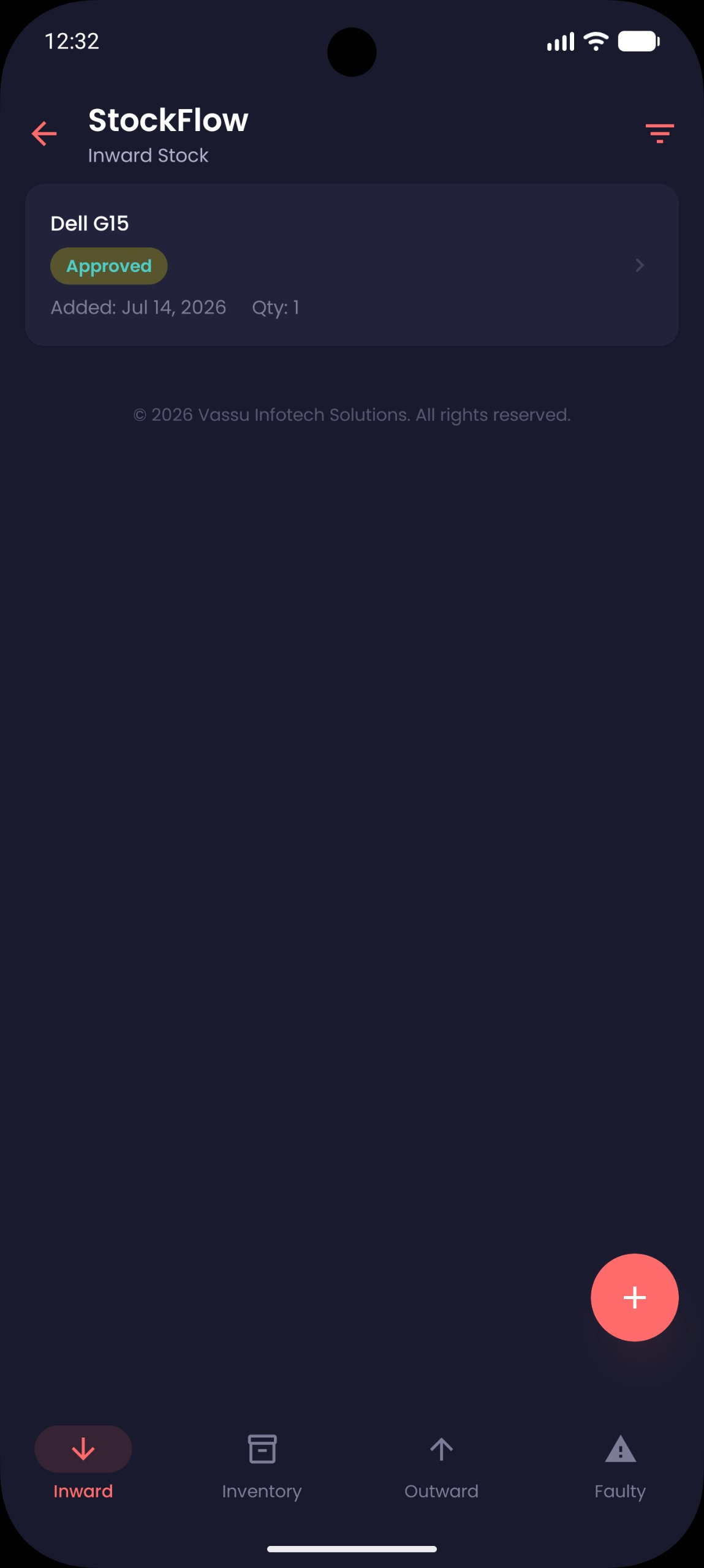
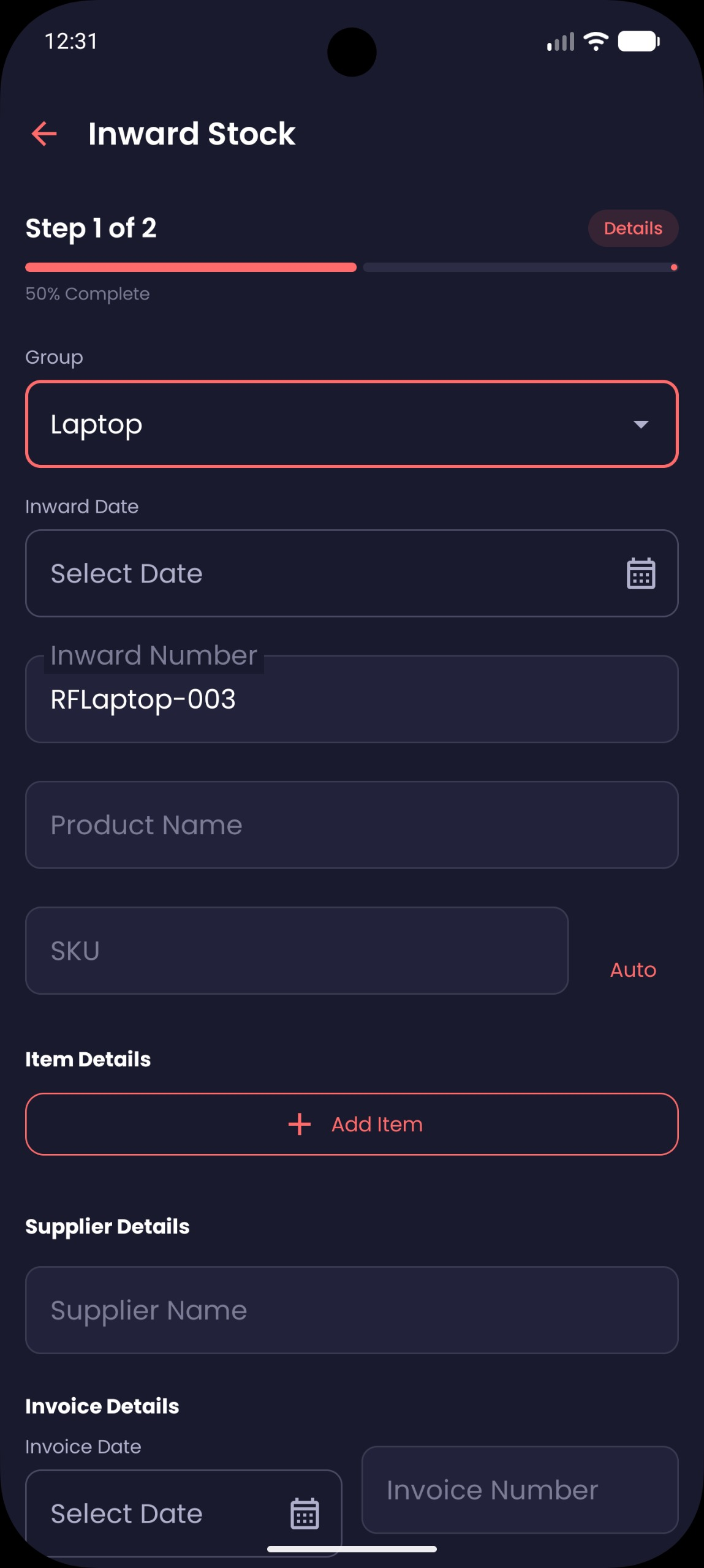
Inward Entry Wizard

Streamline your procurement process with multi-step validation.

Capture bulk shipments with barcode scanning in seconds.
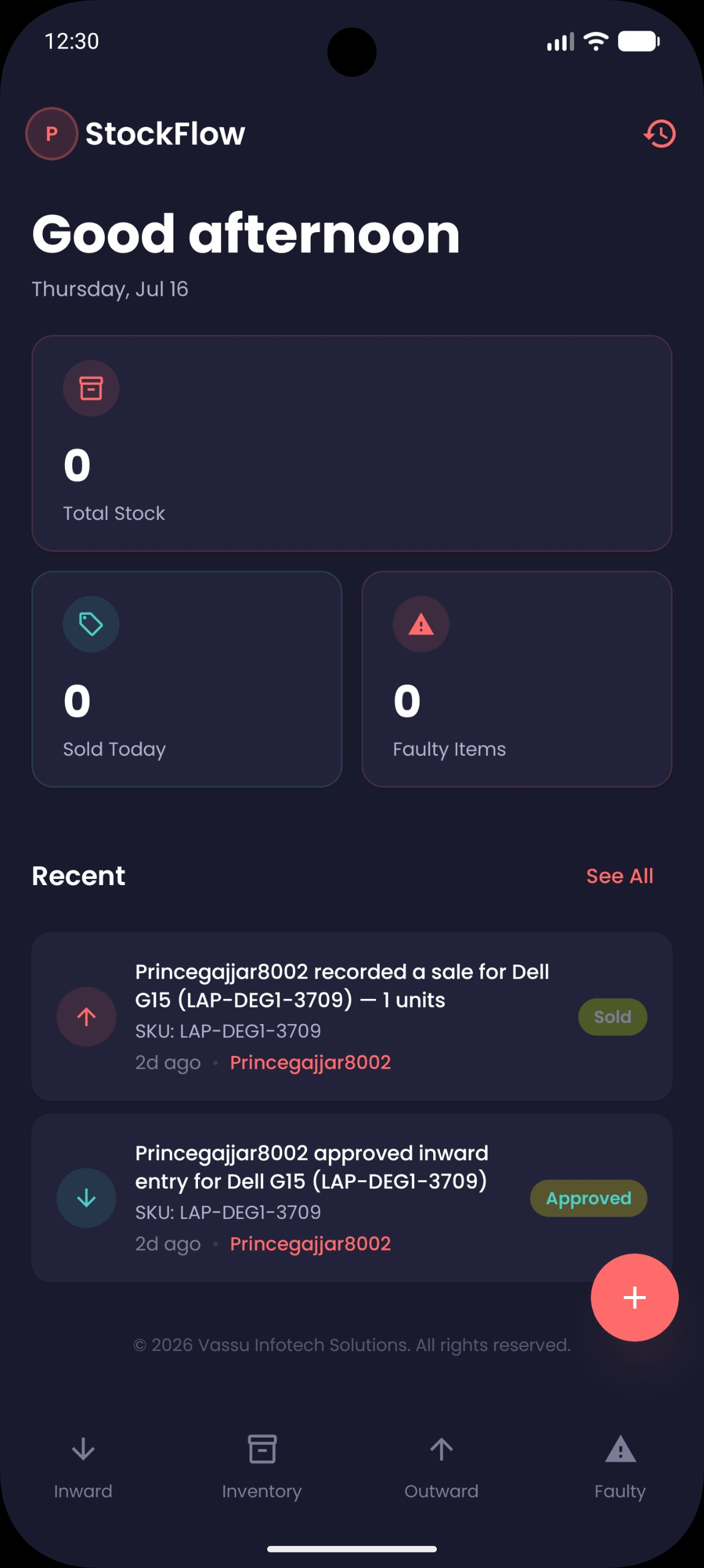
Zero
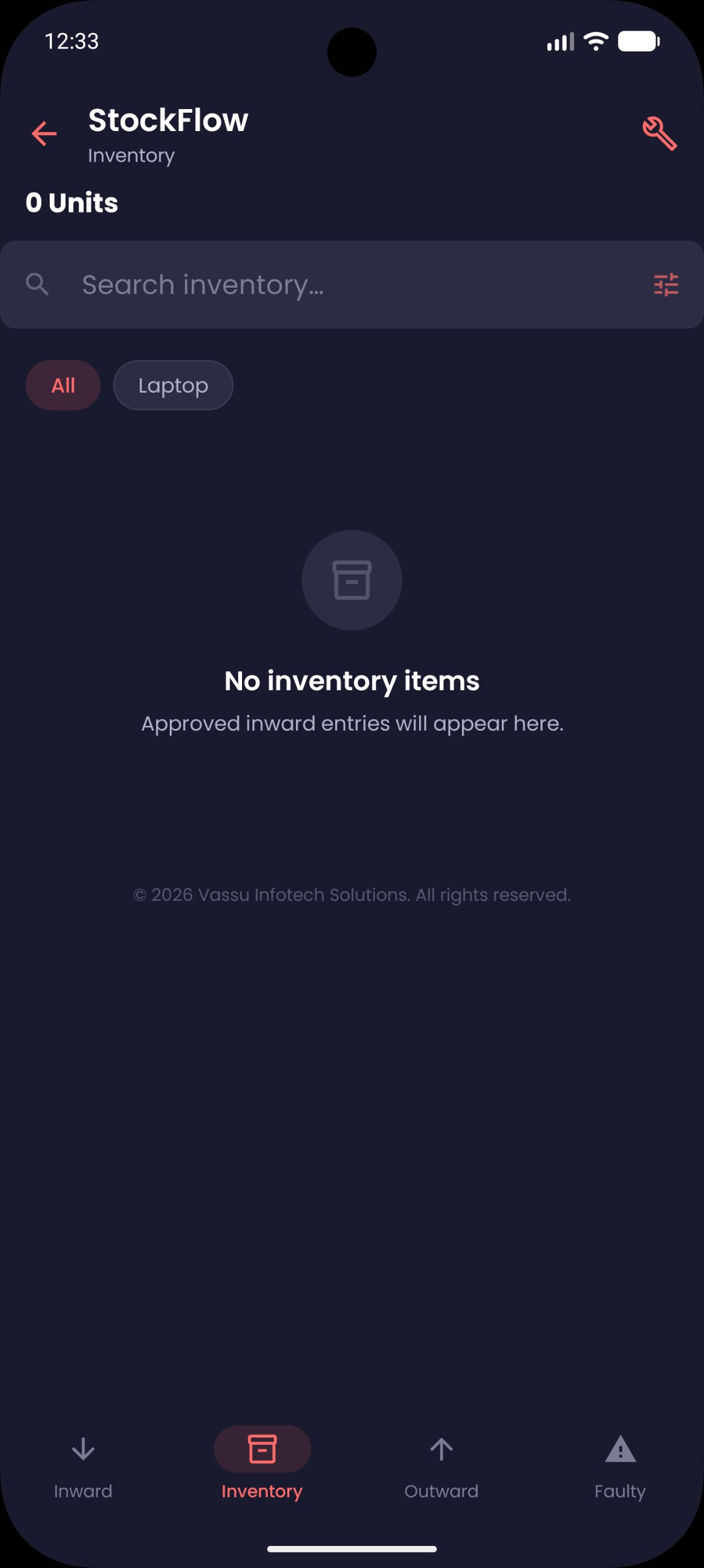
Inventory
Lag.

Synced instantly across all devices.

Outward Sales

Intelligent workflows auto-deduct stock & trigger alerts.

Immutable Audit Trail

See who moved what, when, and why. A comprehensive history log that guarantees accountability across your entire workforce.

Stock #492 Moved to Shelf B
Sale #882 Processed - 12 Units

The StockFlow Lifecycle

Seamless operational flow from intake to shipment.

Inward Entry

Scan & Validate

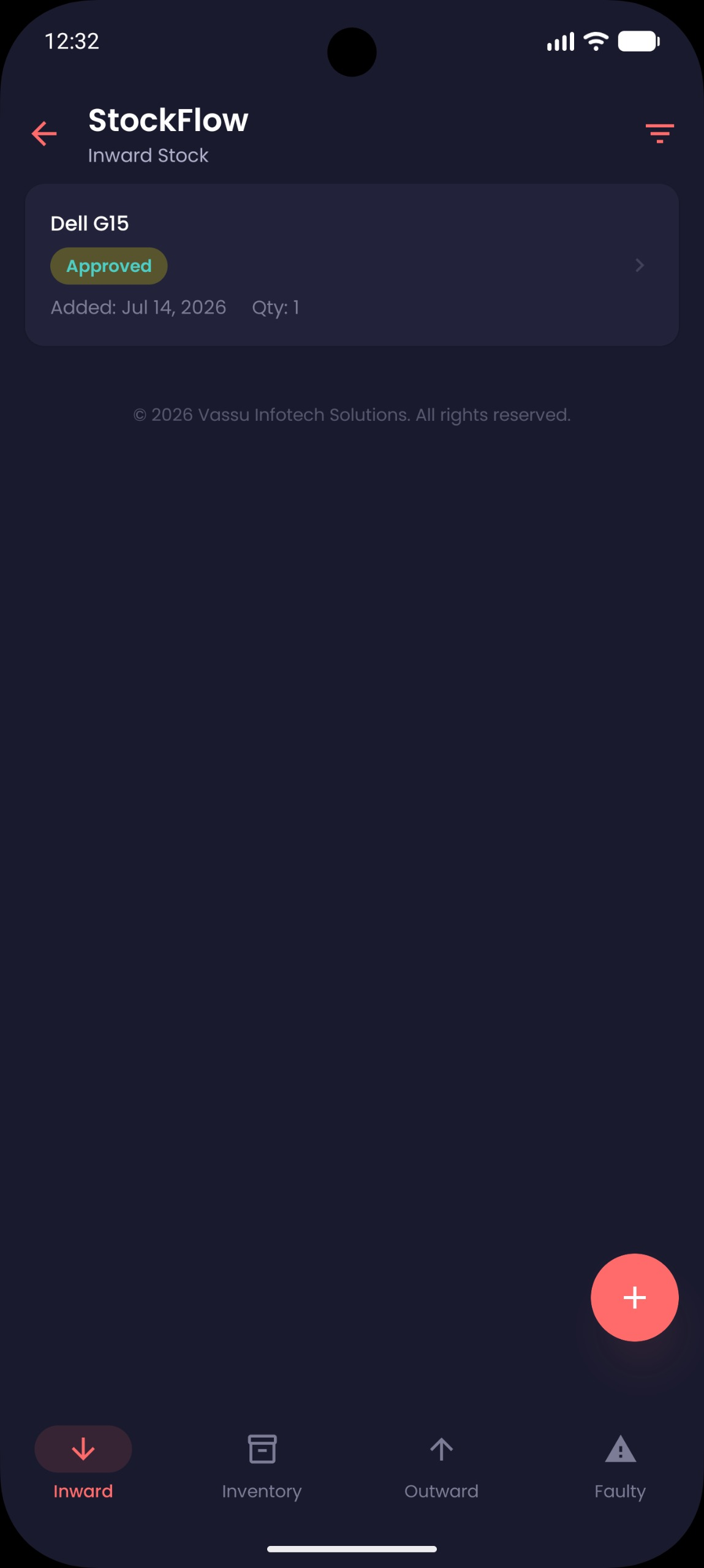
Admin Review

Verify Stocks

Auto Update

Cloud Ledger Sync

Outward Sale

Dispatch & Deduct

Activity Log

Permanent Archive

For Users

  • One-tap barcode scanning for ultra-fast intake.
  • Full audit trail for 100% loss prevention.
  • Offline mode ensures work never stops during outages.
  • Real-time alerts for low-stock and anomalies.
  • Simple, error-proof multi-step wizards.
  • Data-driven insights to optimize stock levels.
Firebase Auth
Cloud Firestore
Crashlytics
256-bit Encryption

Frequently Asked Questions

Everything you need to know about StockFlow.

How do I install StockFlow on my device?
  1. Go to Settings > Security on your Android device and enable “Install from unknown sources” for your file manager or browser.
  2. Download the stockflow.apk file from this page.
  3. Open the downloaded file and follow the on-screen prompts to complete the installation.

After installation, you can disable unknown sources again if preferred.

What Android versions are supported?
StockFlow supports Android 8.0 (Oreo) and above (minSdk 26, targetSdk 35). We recommend devices with at least 3 GB of RAM for the best experience.
How is my inventory data secured?
All data is encrypted with AES-256 at rest and in transit. We use Firebase Authentication for secure access control and Cloud Firestore for reliable real-time syncing. Every action is recorded in an immutable audit trail.

Get StockFlow on your warehouse floor today

Join the 1,500+ warehouses optimized by real-time clarity and unbreakable workflows.

Download for Android
v1.0.0 • ~18 MB • Android 8.0+

Direct APK download. You may need to allow installs from unknown sources in your device settings.